
AI code completion has moved far beyond simple line autocomplete. In 2026, developer tools can read entire repositories, create full-stack features, and fix failing test suites without breaking a sweat.
But marketing promises rarely match day-to-day coding reality. Some tools produce buggy boilerplate, while others hallucinate non-existent API methods when projects grow past a few thousand lines.
We tested the top AI coding tools across real production repos. Here is what is genuinely worth adding to your stack.
1. Cursor – Best Full-Featured AI IDE
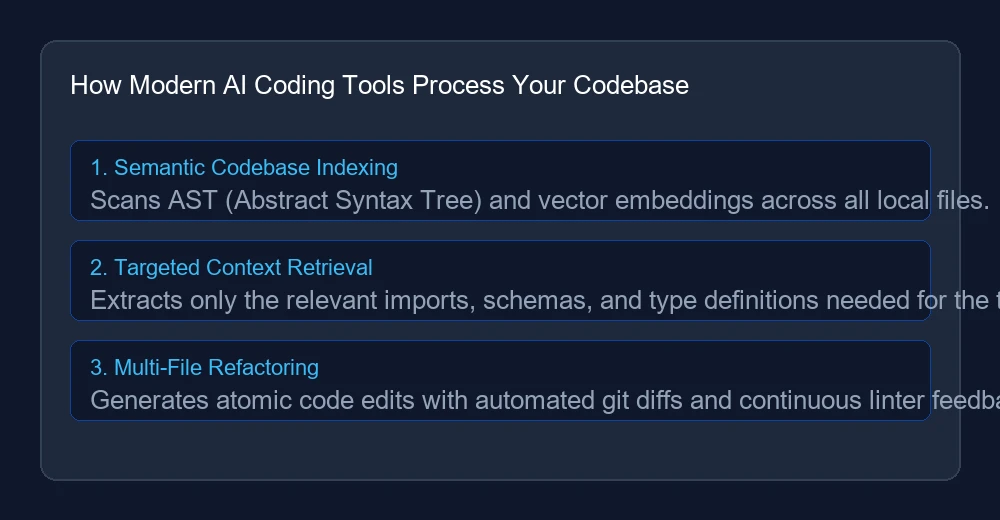
Cursor is a custom fork of VS Code built specifically around AI workflows. It indexes your entire project so you can ask questions about specific functions, database schemas, or API endpoints.
- What works well: Its Composer feature lets you edit 10+ files simultaneously with clean git diffs.
- The downside: Heavy local indexing can slow down older laptops on massive monorepos.
- Price: Free hobby tier; Pro is $20/month.
2. GitHub Copilot – Best for In-Line Autocomplete
If you prefer standard autocomplete while staying in your familiar editor (VS Code, JetBrains, or Neovim), Copilot remains the smoothest option. It learns your variable naming patterns quickly and suggests tab-completions with almost zero latency.
- What works well: Lightning-fast response times and deep GitHub ecosystem integration.
- The downside: Multi-file awareness is not quite as seamless as dedicated AI editors.
- Price: $10/month for individual developers.
3. Claude Dev (Cline) – Best Autonomous Agent Workflow
Cline is an open-source extension that turns models like Claude 3.7 into an autonomous software engineer right in your terminal. It executes terminal commands, reads error logs, and iterates on unit tests until the build passes.
- What works well: Incredible at debugging complex errors and setting up new project boilerplate.
- The downside: Pay-as-you-go API costs can add up fast on heavy refactor sessions.
Feature Breakdown
| Tool | Best For | Multi-File Edits | Terminal Execution |
|---|---|---|---|
| Cursor | Full IDE Experience | Excellent | Yes |
| GitHub Copilot | Fast Inline Tabs | Good | Limited |
| Cline / Claude Dev | Autonomous Agent Tasks | Outstanding | Full Shell Access |
Quick Takeaways
If you want an all-in-one upgrade, switch to Cursor. If you want zero distraction and cheap autocomplete, stay with Copilot. And for hands-off agentic refactoring, give Cline a spin.
For more developer insights and mobile software trends, check out our report on latest mobile app developments and creative tools like free AI generators.
