
★
Quick Key Takeaways – Buzztechy Summary
- Cinematic Realism: Google Veo 3.1 and Runway Gen-4.5 lead the industry in photorealistic physics, multi-shot temporal consistency, and 4K output.
- Multimodal Ingestion: Leading 2026 video generators have moved beyond simple text prompts to accept reference storyboards, motion trajectories, keyframe brushes, and audio stems.
- Native Audio Synthesis: The newest models synthesize synchronized ambient soundscapes, sound effects, and character dialogue alongside video frames in a single generation pass.
- Top Pick for High Volume: Kling AI 3.0 offers the fastest rendering pipelines and competitive credit pricing for social video creators.
Generating high-definition, temporally consistent video from a simple text prompt was once considered the final frontier of generative artificial intelligence. In 2026, text-to-video models have evolved from experimental novelty demos into core production software used by film studios, marketing agencies, game developers, and independent creators.
The modern generation of Buzztechy video benchmarks reveals a massive leap in video quality. Instead of the jittery, morphing artifacts that plagued early models, today’s top tools utilize multimodal diffusion transformers (DiTs) capable of maintaining persistent lighting, accurate physical kinematics, and coherent character identities across complex camera pans.
Whether you are building full marketing campaigns, producing social video content, or storyboarding cinematic projects, choosing the right tool makes all the difference. In this comprehensive guide, we test and rank the best text to video AI tools in 2026, breaking down their flagship features, rendering speeds, motion controls, and subscription costs.
How Text-to-Video AI Evolved in 2026
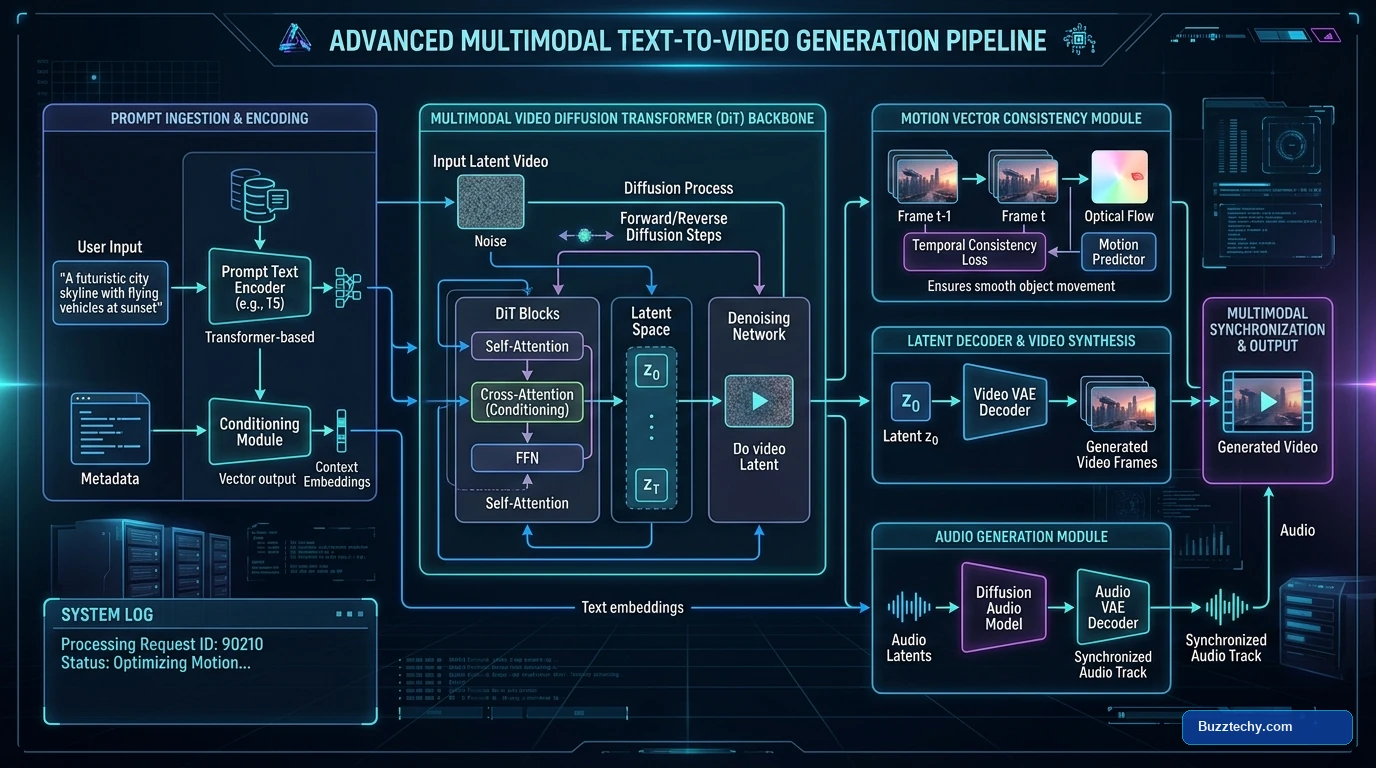
To understand which video generator fits your workflow, it helps to examine what makes the 2026 model architecture distinct from previous iterations. Earlier generators treated video as a sequence of loosely coupled static images, resulting in noticeable flickering and “hallucinated” anatomical shifts between frames.
Today’s leading systems leverage large-scale 3D spatio-temporal transformers. These models compute pixel trajectories across time rather than isolated frames. When combined with native audio diffusion modules, the generator synthesizes synchronized background audio, footstep foley, and spoken dialogue alongside the video itself.
Related Read on Buzztechy: Free AI Image Generators: How They Work and What to Look For — Learn the fundamentals of latent diffusion and transformer-based visual synthesis.
The 6 Best Text to Video AI Tools in 2026
We evaluated over a dozen video synthesis platforms based on prompt fidelity, temporal consistency, fine-grained camera direction, render latency, and overall value. Here are the top six tools currently leading the market.
1. Google Veo 3.1 – Best for Photorealistic Cinematic Quality
Google Veo 3.1 remains the benchmark for raw visual fidelity and physical realism. Built on DeepMind’s cutting-edge diffusion architecture, Veo excels at complex fluid dynamics, reflections, atmospheric haze, and intricate lighting interactions that trip up competitor models.
- Key Strengths: True 4K upscaling, native audio synthesis, exceptional comprehension of cinematic terminology (e.g., “180-degree shutter”, “anamorphic flare”, “dolly zoom”).
- Motion Control: Supports precise bounding-box pathing and multi-prompt timeline blending.
- Pricing: Integrated across Google Cloud Vertex AI and Gemini Advanced tiers starting at $19.99/month.
2. Runway Gen-4.5 – Best for Professional Director Controls
Runway continues to serve as the industry standard for creative professionals who demand granular control over every aspect of a scene. Rather than leaving composition up to algorithmic chance, Gen-4.5 provides a comprehensive suite of creative brushes, camera rigging controls, and character reference anchors.
- Key Strengths: Motion Brush 3.0 allows selective movement masking, multi-camera angle locks, and persistent character seed matching across multiple generations.
- Workflow Integration: Native plugins for Adobe Premiere, DaVinci Resolve, and Final Cut Pro.
- Pricing: Free tier with limited credits; Standard plan at $15/month; Pro plan at $35/month.
3. Kling AI 3.0 – Best for High-Motion Social Media Content
Kling AI has captured widespread popularity among creators who require fast turnaround times and high-speed motion. While some models struggle with rapid action scenes, Kling 3.0 handles fast sports movements, dance choreography, and complex animal animations without tearing.
- Key Strengths: Sub-60 second standard generation times, extended 10-second continuous clips, and excellent prompt adherence.
- Pricing: Generous free daily credits; Standard subscription starting at $10/month.
Also Explore on Buzztechy: Midjourney Artificial Intelligence: How AI Image Generation Works — A detailed look at how text-to-image prompts serve as foundational keyframes for AI video workflows.
4. HeyGen – Best for Talking Avatars and Corporate Presentations
If your primary goal is producing educational walkthroughs, product onboarding guides, or localized multilingual marketing materials, HeyGen leads the avatar category. Its neural voice cloning and automated lip-sync engine match natural facial micro-expressions with uncanny accuracy.
- Key Strengths: 175+ photo-real digital avatars, instant translation across 40+ languages with automated lip realignment, screen recording integration.
- Pricing: Free trial available; Creator plan starting at $29/month.
5. InVideo AI – Best for Full Script-to-Video Automation
InVideo AI targets content marketers and YouTube creators who need end-to-end video generation from a single prompt or blog article URL. Instead of generating isolated 5-second B-roll clips, InVideo builds an entire multi-scene video complete with stock footage, AI-generated scenes, automated subtitles, and voiceover narration.
- Key Strengths: Complete YouTube and TikTok video generation, built-in text editor to tweak script timing, multi-track timeline editor.
- Pricing: Free plan with watermark; Plus plan starting at $25/month.
6. Pika 2.5 – Best for Stylized Effects and Experimental Creativity
Pika 2.5 has carved out a dedicated niche for creators seeking surreal visual transformations, stylized 3D animation, and interactive physics effects (such as melting, exploding, or inflating objects inside an existing video).
- Key Strengths: “Pikaffects” toolkit, flexible aspect ratio adjustment, intuitive Web and Discord interfaces.
- Pricing: Free tier available; Standard plan starting at $10/month.
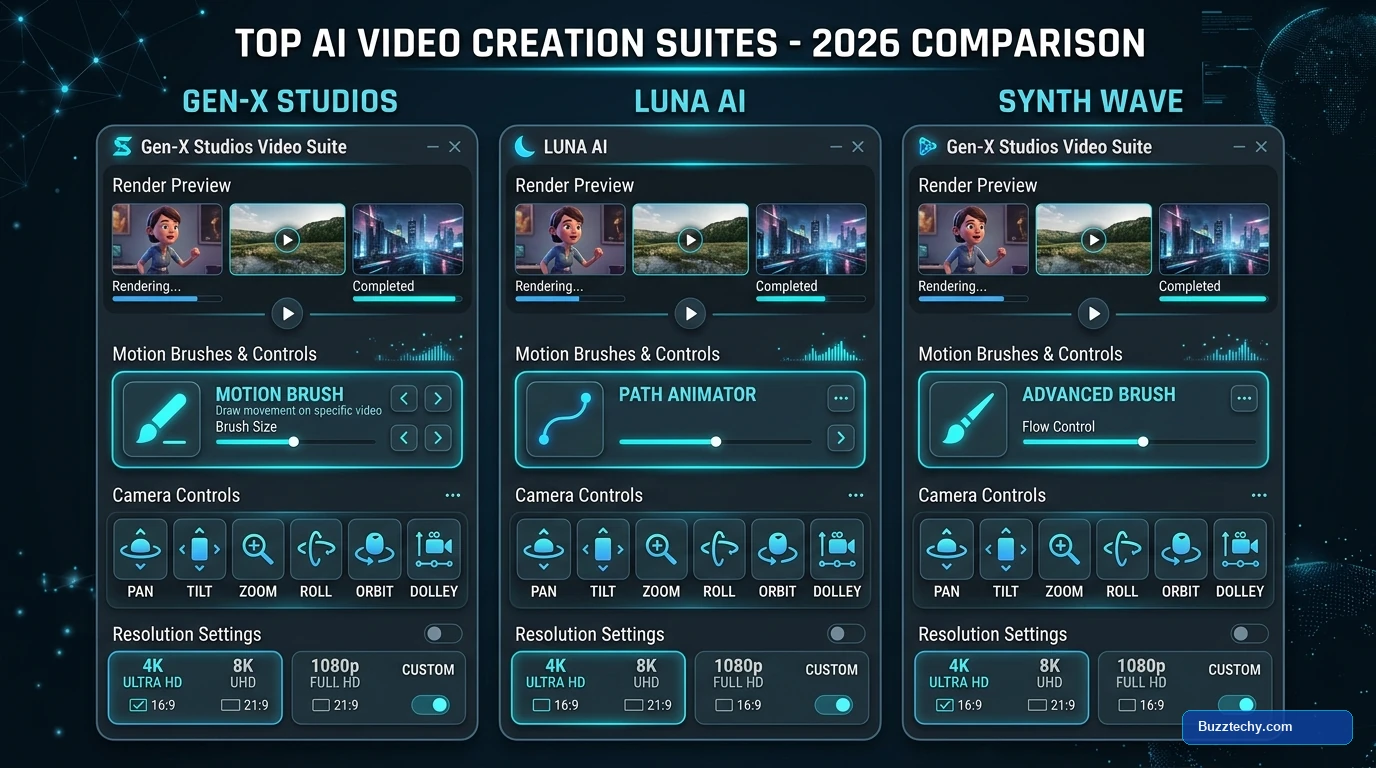
Feature Comparison: Top AI Video Generators at a Glance
| Tool | Primary Strength | Max Output Resolution | Native Audio | Starting Price |
|---|---|---|---|---|
| Google Veo 3.1 | Cinematic Photorealism | 4K UHD | Yes (Synchronized) | $19.99/mo |
| Runway Gen-4.5 | Director & Motion Controls | 4K (Upscaled) | Yes (Sound FX) | $15.00/mo |
| Kling AI 3.0 | Fast Dynamic Action | 1080p / 4K | Optional | $10.00/mo |
| HeyGen | Presenter & Avatar Videos | 4K UHD | Voice Cloning | $29.00/mo |
| InVideo AI | Full Automated Script-to-Video | 1080p / 4K | Full Narration + BGM | $25.00/mo |
| Pika 2.5 | Creative & Stylized FX | 1080p | Sound Effects | $10.00/mo |
Stay Updated: Check out our coverage on the Latest Mobile App News Gmrrcomputer to discover new AI creation features arriving on Android and iOS devices.
Key Factors to Consider Before Subscribing
Before committing to an annual subscription on any AI video platform, keep these four technical criteria in mind:
- Credit Consumption Ratios: Most platforms operate on a credit economy where rendering in 4K or extending clips to 10 seconds costs triple the standard token amount. Always check how many completed videos your monthly quota actually yields.
- Multi-Shot Temporal Coherence: If you are producing narrative content, ensure the tool supports persistent character seeds or reference image conditioning so your subject does not change facial features across scenes.
- Commercial Licensing: Verify that your tier grants unrestricted commercial distribution rights, particularly for monetized YouTube channels and client advertising.
- Export Flexibility: Look for platforms that allow exporting individual stems, alpha-channel transparency, and native resolution video files for post-processing.
Frequently Asked Questions (FAQ)
What is currently the best text to video AI tool in 2026?
For cinematic photorealism and physics consistency, Google Veo 3.1 is widely considered the top model. For fine-grained directorial motion control and timeline brushes, Runway Gen-4.5 is the preferred choice for creative editors.
Can I use text to video AI tools for free?
Yes, platforms like Runway, Kling AI, and Pika offer free tiers or recurring daily credits. However, free outputs typically include watermarks, lower resolution (720p), and queue wait times during peak hours.
Do AI video generators create sound effects and music?
Yes, newer 2026 models like Google Veo 3.1 and InVideo AI feature native multimodal audio synthesis, automatically generating synchronized sound effects, ambient audio, and voiceover narration alongside the video frames.
How do text to video models maintain character consistency?
Modern tools use reference image conditioning, latent face embeddings, and motion brush anchors to lock character geometry, hair, and clothing across multiple scene renders.
What is the difference between text-to-video and image-to-video?
Text-to-video synthesizes an entire scene from written descriptions alone. Image-to-video uses an existing photograph or digital illustration as the starting keyframe, animating motion while preserving the exact original image details.
Final Thoughts: Finding the Right AI Video Workflow
The generative video space in 2026 has reached a level of maturity where creators no longer need to compromise between speed, resolution, and control. By pairing photorealistic engines like Google Veo with precision editors like Runway or rapid generators like Kling AI, video production workflows that once required weeks can now be completed in a single afternoon.
Bookmark Buzztechy.com for ongoing benchmarks, tutorial breakdowns, and the latest updates across artificial intelligence, creative software, and mobile technology.
